
SEO is the ongoing work of helping search engines understand your website and helping people find the answer, service, or product they are looking for. Good SEO is not about getting as many visits as possible. It is about reaching more of the right people—the ones your business can genuinely help.
Search has changed. People can still type a question into Google and choose a website from the results, but they may also get part of the answer from an AI Overview or another generative response. That makes it useful to understand how your content is found, selected, and used—and what SEO can and cannot do.
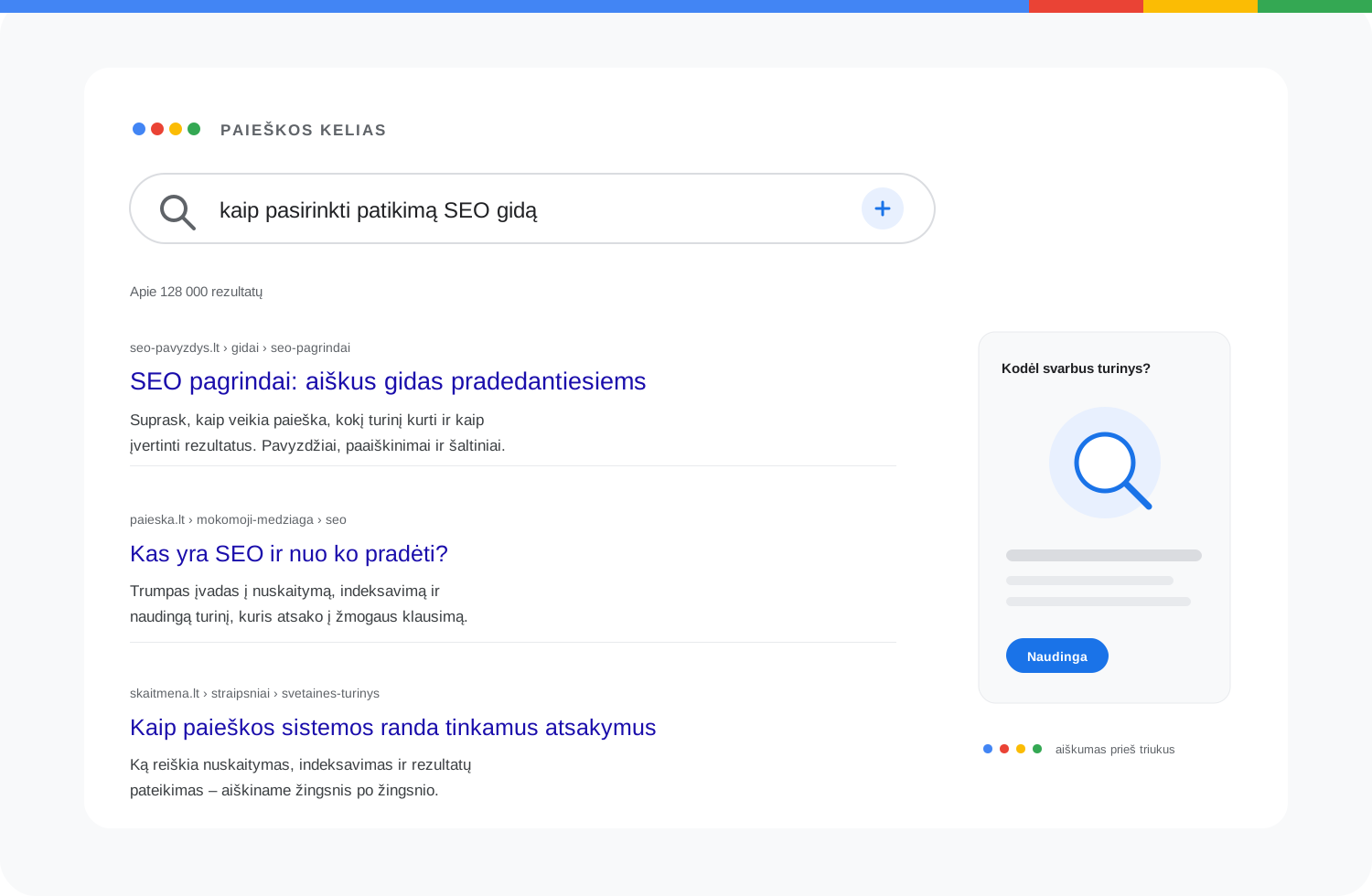
In brief: SEO is not a “get to number one” button. It improves content, technical accessibility, site structure, and trust so the right page is easier to find and more useful. Results are never guaranteed, and their value is measured by more than rankings or visitor counts.
What does SEO mean?
SEO stands for Search Engine Optimization. It refers to actions that help search engines such as Google or Bing find and understand a website’s pages, and help people discover those pages and decide whether they are worth visiting.
The important part of this definition is the person. If a website attracts lots of visitors who are looking for something else, the traffic may look good in a report but do little for the business. SEO connects what people are searching for with what you actually offer.
For example, if you repair windows in Kaunas, one person searching for “window adjustment in Kaunas” is probably more valuable than hundreds of readers looking for general information about the history of windows. SEO helps your page reach that first person at the right moment.
How does a search engine find and present pages?
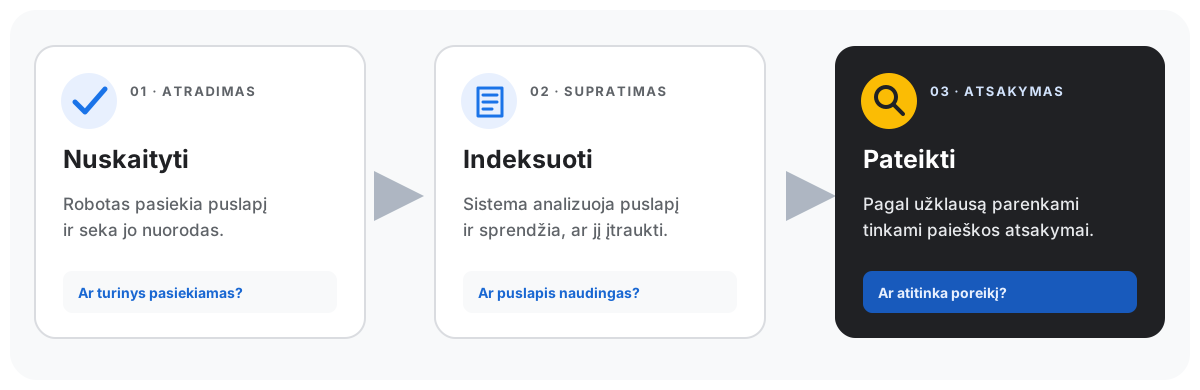
A library is a useful analogy. A search engine continually discovers new or updated pages, reads their content, adds some of them to its index, and selects relevant answers when someone searches. Google describes this process in three stages: crawling, indexing, and serving search results.
- Crawling. A search engine crawler visits a page and follows links to other pages. If a site is technically inaccessible or blocks the crawler, the page may be difficult to discover.
- Indexing. The system analyzes what a page is about and decides whether and how to include it in its index, a catalog of content used for search. A crawled page is not necessarily indexed.
- Serving results. When someone searches, the system selects and ranks what it considers relevant answers from indexed pages. Being indexed does not guarantee a visible position or an appearance for every query.
That is why SEO is more than writing copy or adding keywords. You need to make pages accessible to search systems and give people the best answer to their specific question.
What does SEO involve?
SEO usually brings several areas of work together. They support one another, so a single magic setting is rarely enough.
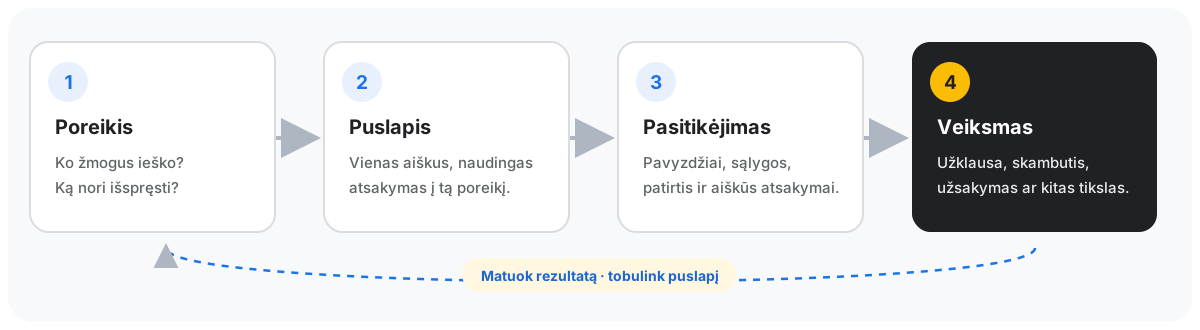
1. Understand what people are looking for
One word can hide very different needs. Someone searching for “windows” may want to compare products, find an installer, or learn how to maintain windows they already have. A page should match the real question, not just repeat the phrase someone searched for.
Start by asking: who is searching, what problem are they trying to solve, what solution do they expect, and why should they choose you? The answers help you decide what kind of page to create: a service page, product page, comparison, or practical guide.
2. Create a genuinely useful page
A page should answer the visitor’s question clearly, provide the information they need, and help them take the next step. A service page might explain the scope of the work, service area, price or how it is calculated, examples of completed work, and how to get in touch.
Repeating the same phrase many times does not make content better. Google recommends creating helpful, reliable, people-first content rather than pages whose main purpose is to attract search traffic. A useful answer grounded in your experience matters more than writing a longer article than your competitors.
3. Make the site easy to understand
Clear headings, descriptive page titles, logical links, and a well-organized site help readers find their way. They also help search systems understand what a page is about and how it relates to other pages. If your key service is buried in a confusing menu or has no links pointing to it, neither people nor search engines will find it easily.
4. Make sure the site is technically accessible
Pages should load correctly, their main content should be accessible, and important sections should not be hidden from search by mistake. Speed, mobile usability, and security all matter to the experience, but no single technical score guarantees good rankings.
5. Show why people can trust you
People want to know who provides the service, whether it suits their situation, and what to expect. Clear authorship, real work examples, genuine reviews, accurate contact details, and honest promises help them decide. Do not invent results or make guarantees you cannot support.
6. Measure what changed
After making changes, monitor whether the page can be found, which queries show it, whether people click, and whether they take a meaningful action. Google Search Console and website analytics can help. Look at data over a long enough period: numbers for small sites fluctuate, and a single weekend does not reveal a trend.
SEO example: a window repair company in Kaunas
Imagine a customer searches for “window adjustment in Kaunas.” They probably do not want a long explanation of what a window is. They need a specialist who can come out and fix the problem.
The company’s page would be useful if it clearly explained:
- which windows and faults the company repairs;
- whether it serves Kaunas and nearby towns;
- how to book the work, what it may cost, and what affects the price;
- what the customer should prepare before the technician arrives;
- who will do the work, what experience they have, and which real examples demonstrate it.
A heading that says “Window repair in Kaunas” is not enough. The page must be discoverable and help people make a decision. If the service is local, an accurate business profile in Google Search and Maps also matters. Finally, track not only page visits but also calls, enquiries, and bookings.
SEO, advertising, and AI answers: what is the difference?
Paid search advertising lets you show ads for selected queries and pay according to the campaign terms, often per click. SEO improves a site’s organic (non-ad) visibility. Organic listings do not have an ad click charge, but creating and maintaining them takes time, work, content, or technical changes. That is why “free traffic” is not an accurate description of SEO.
SEO and advertising can complement each other. Ads can put an offer in front of people quickly, while SEO gradually improves the chance of being found when someone is actively searching. The right mix depends on your business goals, budget, competition, and timeline.
AI answers are changing how people discover information. Google AI Overviews and AI Mode are features within Google Search; other AI platforms follow their own rules. Google says these search features do not require special additional SEO requirements or markup. The usual search guidance applies: technical accessibility and helpful, reliable content. Good technical setup still does not guarantee that a page will be mentioned or cited.
Instead of looking for a secret “SEO for AI answers” button, give readers a clear and accurate answer, name the author and sources, and make sure the page is technically accessible. This can make your content easier to discover, but it does not guarantee a mention or citation. Track impressions, citations, and on-site actions separately.
What can SEO not promise?
SEO cannot guarantee the top position for a chosen keyword or promise a precise number of customers. No one has complete control over search results. Rankings and impressions can change depending on the query, location, device, competitors, and search engine updates.
SEO settings alone cannot make a product good, a price right, or a service trustworthy. SEO can help the right customers find you, but their decision also depends on your offer, pricing, service, delivery, and real-world experience.
Results take different amounts of time. Some technical errors can be fixed quickly, but it may take time to see the impact of a new or updated page. Be cautious of promises such as “we will get you to number one in three days.”
Where to start: five steps
- Choose your audience. Be clear about who you want to help.
- Write down their question. What problem are they trying to solve?
- Choose the right page type. Do they need a service page, product page, category, or explainer?
- Answer fully. Explain the terms, give an example or price, and show the next step.
- Measure the outcome. Check not only whether the page appears, but whether it brings the right visitor and whether they take the action you want.
If your site already has many pages, review them first. Before creating another page for the same need, decide which existing page best serves the target visitor.
Frequently asked questions
Can I do SEO myself?
Yes. You can answer customer questions more clearly, improve page titles, organize internal links, and monitor results in Search Console. More complex technical work may require a developer or SEO specialist. In any case, measure actions that matter to the business, not just traffic.
How many times should a keyword appear on a page?
There is no fixed number. A page should answer the question naturally and thoroughly. Repeating the same phrase unnecessarily makes the text harder to read and does not make it more valuable.
Can I make sure all my pages appear on Google?
You can help search engines find and crawl a page, but you cannot guarantee that every page will be indexed or shown in search. First check that the page is useful, accessible, and technically sound.
Do AI answers require special markup or llms.txt?
Google says AI Overviews and AI Mode do not require special additional markup. Other AI services may work differently. If someone claims that a particular file or “AI score” is required for every platform, check that platform’s official guidance.
Which should I start with: SEO or Google Ads?
There is no single answer for everyone. Consider your timeline, budget, product margins, existing demand, and goals. Ads often suit shorter campaigns, while SEO can grow organic visibility gradually. A future article will explain their differences and when each approach may make sense.
The takeaway
SEO is not about stuffing keywords to please Google. It is ongoing work: understand the right person’s needs, create a useful page for them, help search engines find and understand it, and measure real outcomes. These fundamentals still matter, even as search answers appear in more varied formats.
Next article: SEO vs Google Ads: Which Should You Choose for Your Goals and Budget?
Sources and further reading
- Google SEO Starter Guide — how search engines find and understand pages.
- Google guidance on AI features in Search
- Google guidance on helpful, reliable content
Next guide: SEO vs Google Ads — compare by goal and budget.
Back to the top ↑